
- WordPress website step by step banana mere liye kaafi exciting journey ban gaya hai. Homepage, footer, header aur landing page complete karne ke baad aaj maine apna pehla Services Page design kiya.
Services page important hota hai kyunki ye visitors ko clearly batata hai ki aap kya offer karte ho, aur website ko zyada professional look deta hai.
Step 1: New Services Page Create Kiya
Sabse pehle maine WordPress dashboard me ek new page create kiya.
Maine kya kiya:
Dashboard → Pages → Add New
Page title: Services
Click kiya Edit with Elementor
Ab mere paas ek blank page ready tha design ke liye.
Step 2: Top Hero Section Design Kiya
Sabse pehle maine page ka top section setup kiya.
Add kiya:
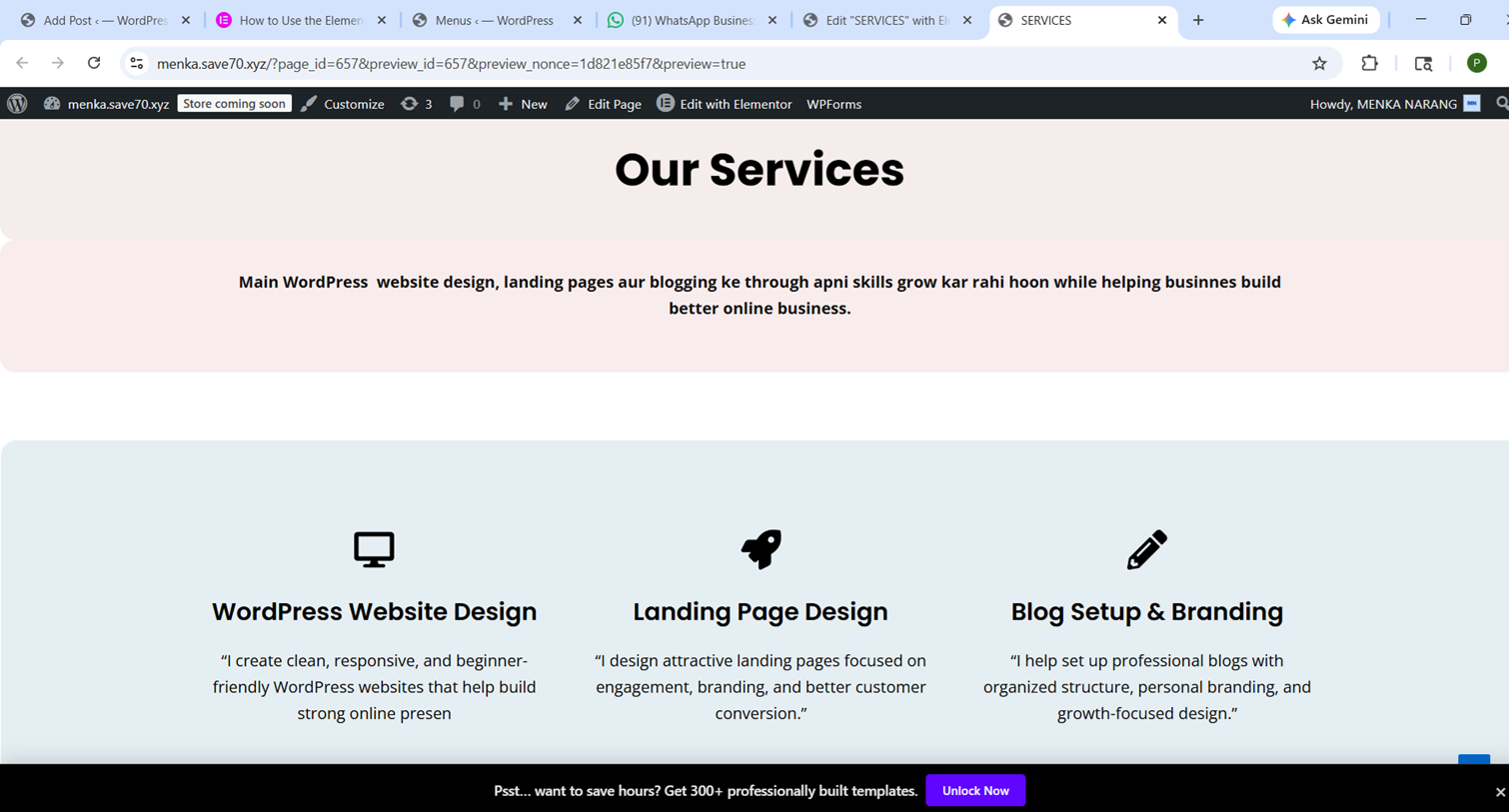
Main heading: Our Services
Short intro text
Center alignment
Clean spacing
Ye section visitors ko instantly batata hai ki page kis bare me hai.
Step 3: 3 Main Service Boxes Add Kiye
Ab maine apni services showcase karne ke liye 3 boxes banaye.
Services:
WordPress Website Design
Clean aur responsive websites create karna.
Landing Page Design
Professional landing pages design karna for branding.
Blog Setup & Branding
Blog structure aur personal branding improve karna.
Step 4: Icons Aur Buttons Add Kiye
Page ko zyada attractive aur professional banane ke liye maine:
Icons use kiye
Short descriptions add ki
Buttons add kiye:
Learn More
Explore
Get Started
Isse page ka design aur better lagne laga.
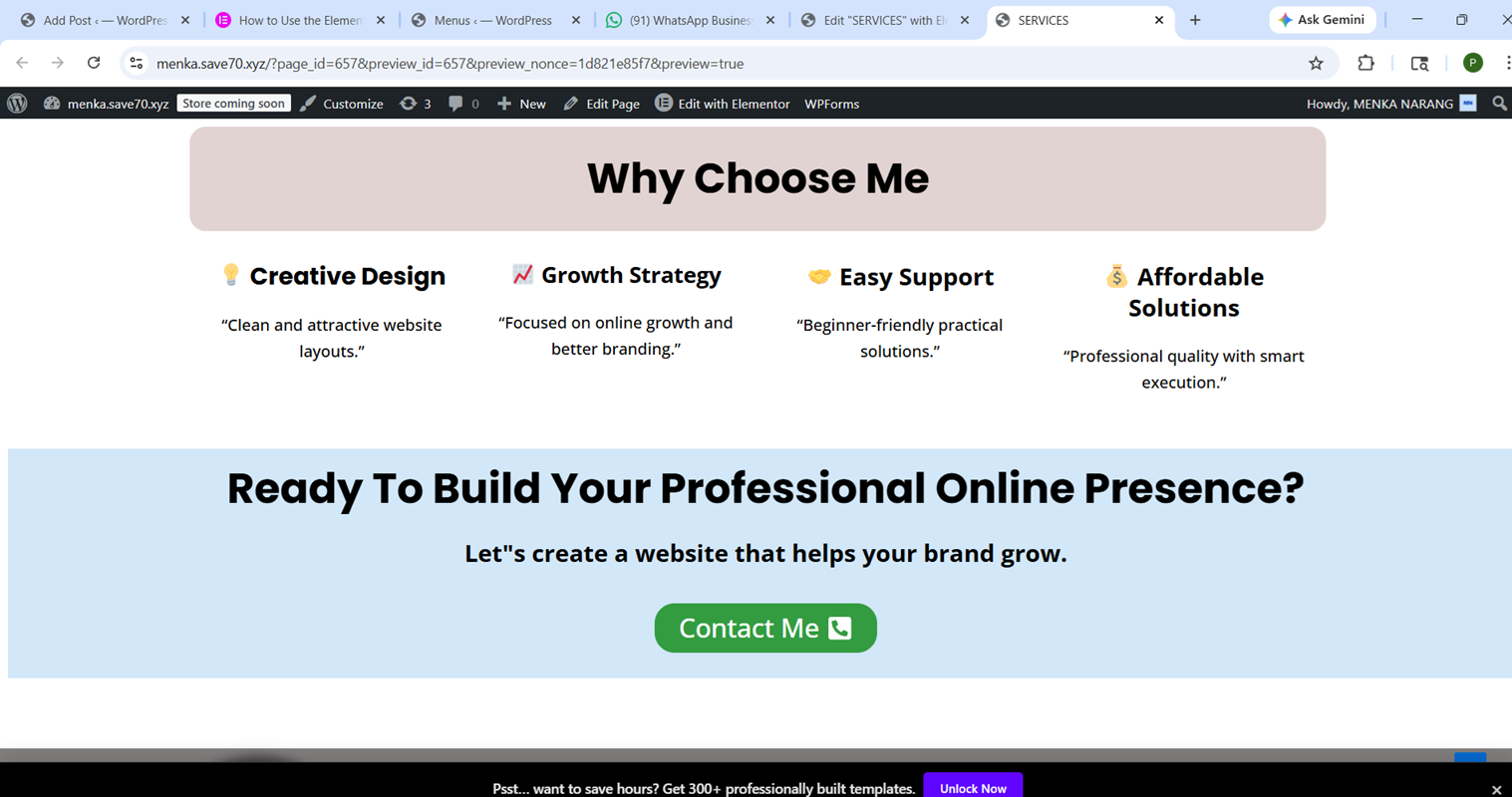
Step 5: Why Choose Me Section Banaya
Services ke baad maine trust build karne ke liye ek extra section add kiya.
Isme include kiya:
Creative Design
Growth-Focused Strategy
Beginner-Friendly Support
Affordable Solutions
Ye section website ko stronger aur zyada business-focused banata hai.
Step 6: Final CTA Section Add Kiya
Page ko complete karne ke liye maine ek call-to-action section banaya.
Heading:
Ready To Build Your Professional Online Presence?
Button:
Contact Me
Ye visitors ko action lene ke liye encourage karta hai.
Step 7: Final Review Kiya
Publish karne se pehle maine:
Spacing check ki
Alignment improve ki
Mobile responsiveness test ki
Buttons consistency check ki
Isse overall page zyada polished lagne laga.
Aaj Maine Kya Seekha
Is services page ne mujhe sikhaya:
Better Elementor design
Professional page structure
Services showcase karna
CTA placement
Personal branding basics
Final Thoughts
Aaj ka work mere WordPress journey ka ek important step tha. Har naya page mujhe better skills de raha hai aur dheere dheere mera freelancing portfolio bhi build ho raha hai.
Main sirf website nahi bana rahi, balki practical digital skills develop kar rahi hoon jo future growth me kaafi help karenge