
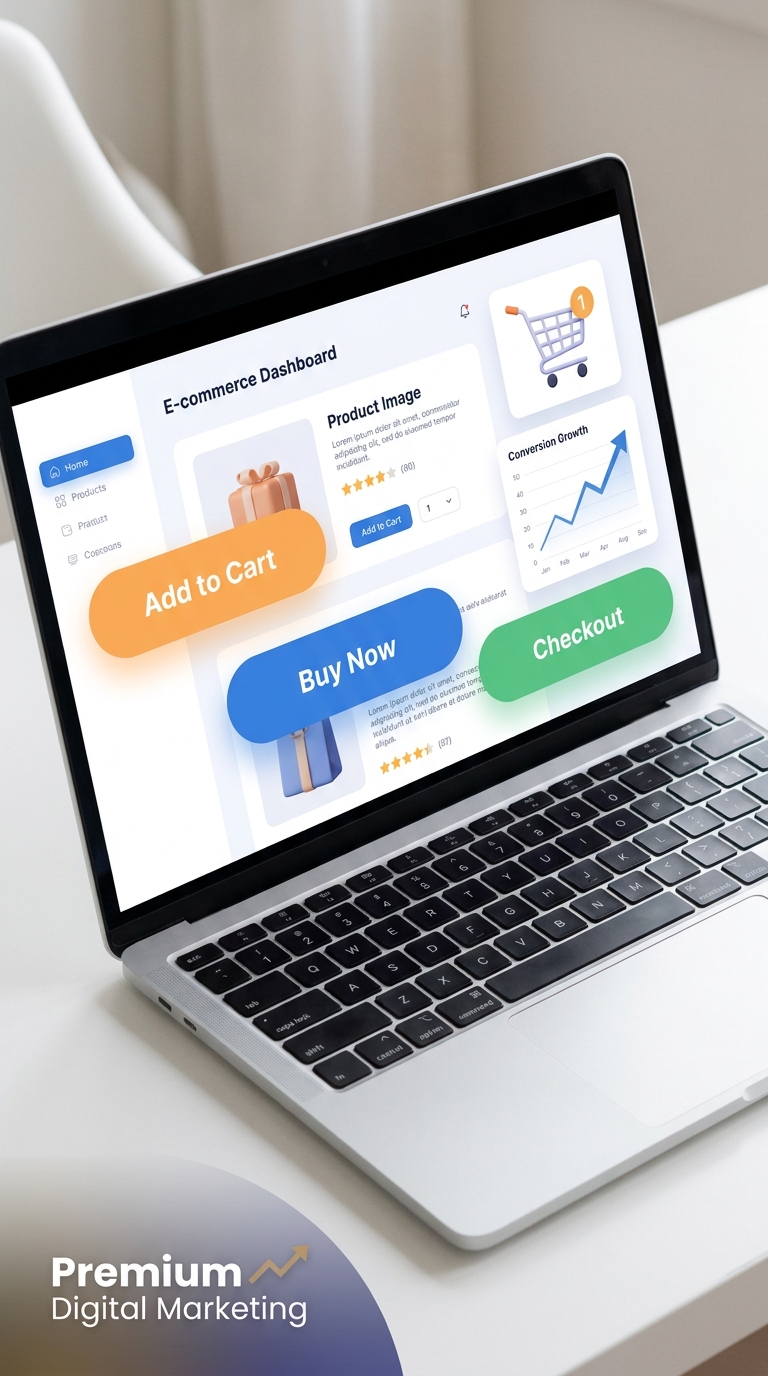
E-commerce websites par har click important hota hai. Chahe aap Shopify store chala rahe ho, WooCommerce use kar rahe ho, ya Elementor ke saath online store design kar rahe ho, ek simple sa E-Commerce Button customer ke buying decision ko influence kar sakta hai.
Aksar website owners product images, descriptions aur pricing par bahut focus karte hain, lekin buttons ko ignore kar dete hain. Reality ye hai ki Add to Cart, Buy Now, aur Checkout buttons hi visitors ko customers me convert karte hain.
Is guide me hum E-Commerce Buttons ke baare me detail me jaanenge, unke types, benefits, design best practices aur conversion optimization techniques discuss karenge.
What Is an E-Commerce Button?
E-Commerce Button ek clickable website element hota hai jo users ko koi specific action lene ke liye guide karta hai.
Examples:
- Add to Cart
- Buy Now
- Checkout
- View Product
- Shop Now
- Wishlist
- Continue Shopping
Ye buttons online shopping experience ko smooth aur user-friendly banate hain.
Agar button clearly visible aur strategically placed ho, to conversions significantly improve ho sakte hain.
Why E-Commerce Buttons Matter
Online shopping me users ko direction chahiye hoti hai.
Agar website par clear buttons nahi honge, to visitors confuse ho sakte hain aur site leave kar sakte hain.
E-Commerce Buttons:
- User journey simplify karte hain
- Product discovery improve karte hain
- Cart additions increase karte hain
- Checkout process streamline karte hain
- Sales aur revenue boost karte hain
Isi liye successful online stores button optimization par special attention dete hain.
Types of E-Commerce Buttons
Har button ka alag purpose hota hai.
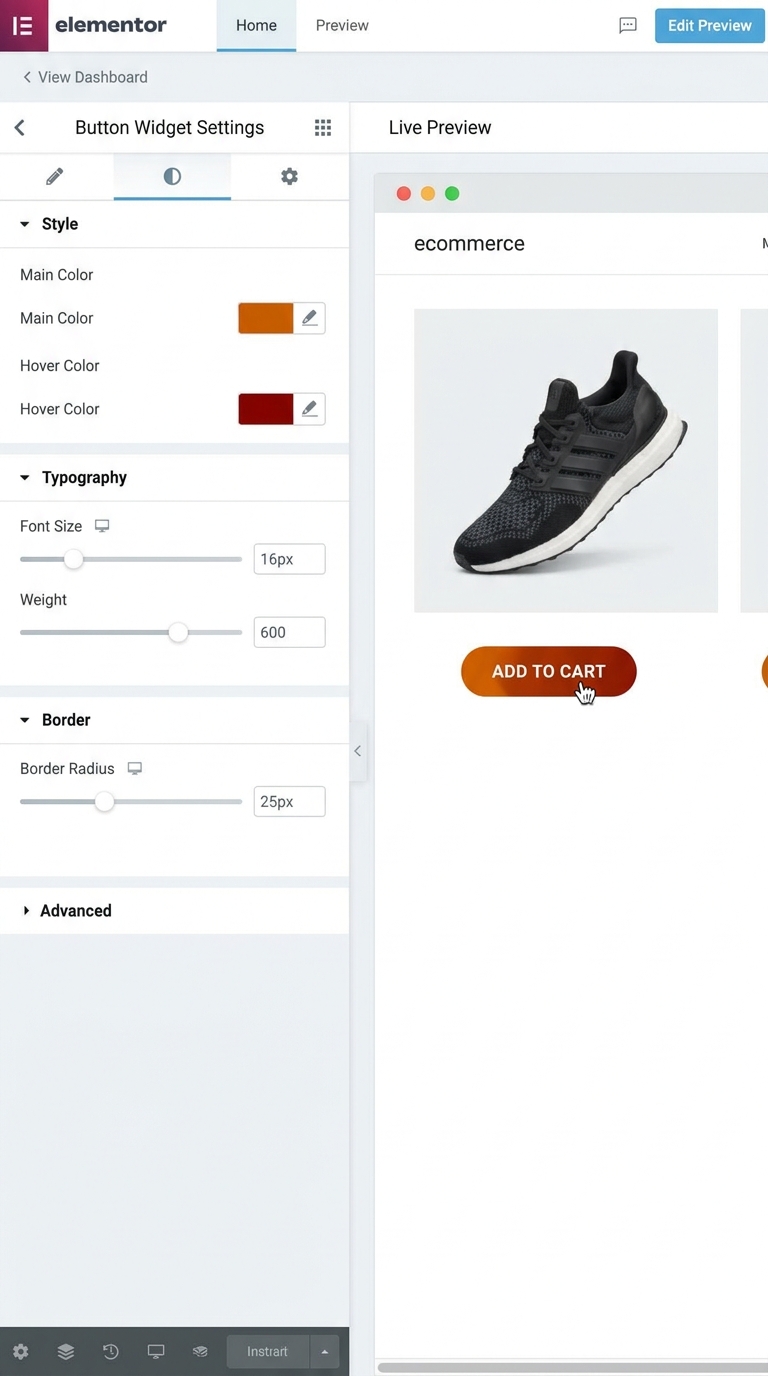
Add to Cart Button
Ye sabse common e-commerce button hai.
Iska purpose user ko selected product shopping cart me add karne dena hota hai.
Benefits:
- Multiple products purchase karne ki flexibility
- Better shopping experience
- Increased average order value
Common Text:
- Add to Cart
- Add to Basket
- Add Item
Buy Now Button
Buy Now button direct checkout process start karta hai.
Ye impulse purchases ke liye bahut effective hota hai.
Benefits:
- Faster purchase process
- Reduced friction
- Higher conversion rates
Best Use Cases:
- Single-product stores
- Limited-time offers
- Digital products
Checkout Button
Checkout button users ko payment page tak le jata hai.
Ye purchasing funnel ka final step hota hai.
Best Practices:
- Clearly visible ho
- Contrasting color use kare
- Mobile-friendly ho
Shop Now Button
Shop Now button users ko products ya category pages par redirect karta hai.
Ye mostly homepage aur promotional banners me use hota hai.
Benefits:
- Product discovery improve karta hai
- More engagement create karta hai
Wishlist Button
Wishlist button users ko products save karne ki facility deta hai.
Benefits:
- Future purchases encourage karta hai
- Returning visitors increase karta hai
View Product Button
Ye users ko product details page tak le jata hai.
Useful For:
- Product grids
- Category pages
- Featured products sections
Benefits of Optimized E-Commerce Buttons
Higher Conversion Rates
Well-designed buttons visitors ko desired action lene ke liye encourage karte hain.
Result:
- More sales
- Better revenue
Better User Experience
Clear buttons navigation easy banate hain.
Users ko samajh aata hai next step kya hai.
Reduced Cart Abandonment
Confusing checkout buttons cart abandonment increase kar sakte hain.
Optimized buttons checkout completion rate improve karte hain.
Increased Engagement
Clickable and attractive buttons users ko website ke saath interact karne ke liye motivate karte hain.
Best E-Commerce Button Design Practices
Use Action-Oriented Text
Generic text avoid kare.
Bad Examples:
- Click Here
- Submit
Good Examples:
- Buy Now
- Add to Cart
- Start Shopping
- Get Yours Today
Action-based text conversions improve karta hai.
Make Buttons Easy to Find
Buttons immediately visible hone chahiye.
Users ko scroll ya search na karna pade.
Best Placement:
- Product image ke near
- Product description ke below
- Above the fold
Choose Contrasting Colors
Button page background se alag dikhna chahiye.
Examples:
- White background → Blue button
- Dark background → Orange button
Goal:
Visibility improve karna.
Use Proper Size
Button itna bada ho ki easily click ho sake.
Lekin itna bada nahi ki page cluttered lage.
Add Hover Effects
Hover animations interaction improve karti hain.
Examples:
- Color change
- Shadow effect
- Scale effect
Ye buttons ko more interactive banata hai.
Mobile Optimization for E-Commerce Buttons
2026 me majority online shopping mobile devices par hoti hai.
Isliye mobile optimization essential hai.
Mobile-Friendly Button Size
Recommended:
- Minimum 44×44 pixels
Ye touch interactions improve karta hai.
Maintain Proper Spacing
Buttons ke beech sufficient gap hona chahiye.
Taaki accidental clicks avoid ho.
Keep CTA Visible
Mobile screen par CTA buttons easily accessible hone chahiye.
Sticky Buy Now buttons bhi effective ho sakte hain.
E-Commerce Button Color Psychology
Colors user behavior influence karte hain.
Green Buttons
Represent:
- Success
- Trust
- Progress
Suitable for:
- Checkout buttons
Orange Buttons
Represent:
- Energy
- Urgency
Suitable for:
- Buy Now buttons
Blue Buttons
Represent:
- Trust
- Reliability
Suitable for:
- Corporate stores
- Technology products
Red Buttons
Represent:
- Urgency
- Attention
Suitable for:
- Limited-time offers
Common E-Commerce Button Mistakes
Using Generic Text
“Submit” ya “Click Here” conversion-friendly nahi hote.
Poor Color Contrast
Agar button background me blend ho raha hai to users notice nahi karenge.
Small Buttons
Tiny buttons mobile users ke liye frustrating hote hain.
Too Many CTAs
Ek page par bahut zyada CTA buttons confusion create karte hain.
Ignoring Mobile Users
Mobile responsiveness ignore karna sales loss ka major reason ban sakta hai.
How to Create E-Commerce Buttons in Elementor
Agar aap Elementor use karte ho to button banana bahut easy hai.
Step 1
Elementor Editor open karo.
Step 2
Button Widget drag and drop karo.
Step 3
Button text add karo.
Example:
- Buy Now
- Add to Cart
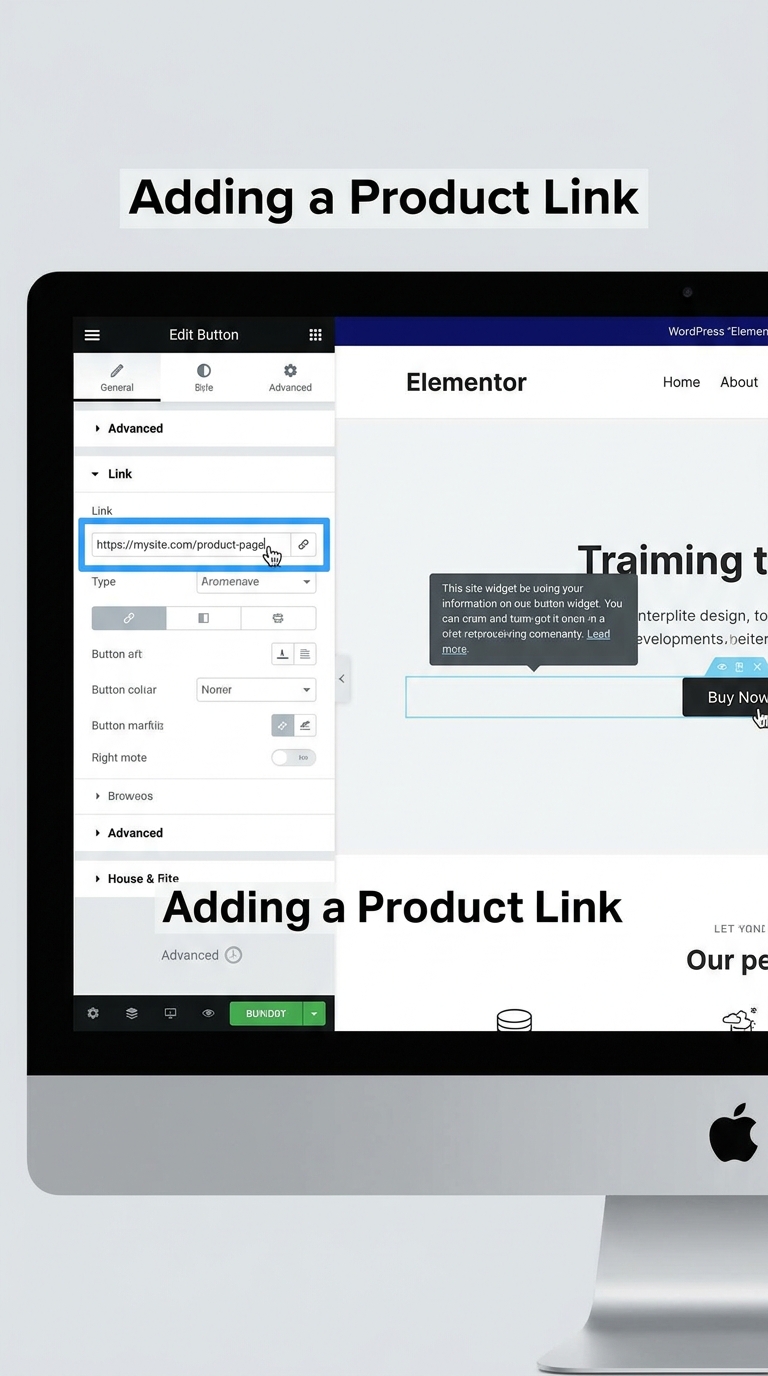
Step 4
Link add karo.
Step 5
Color, typography aur spacing customize karo.
Step 6
Hover effects apply karo.
Step 7
Mobile responsiveness test karo.
E-Commerce Button Optimization Tips
Use Strong CTAs
“Buy Now” usually “Learn More” se better convert karta hai.
Create Urgency
Examples:
- Buy Now – Limited Stock
- Order Today
A/B Testing
Different:
- Colors
- Sizes
- Text
Test karke best-performing version choose kare.
Improve Loading Speed
Fast websites better conversions generate karti hain.
Use Trust Signals
Button ke near:
- Secure Checkout
- Money Back Guarantee
Jaise trust elements add kare.
Future Trends in E-Commerce Buttons
2026 aur uske baad button design aur smart hone wala hai.
Trends:
- AI-powered personalization
- Dynamic CTA buttons
- Voice-assisted shopping
- Mobile-first design
- Personalized recommendations
Stores jo latest trends adopt karenge unki conversion rates better rahengi.
Conclusion
E-Commerce Buttons online store success ka important part hain. Chahe Add to Cart button ho, Buy Now CTA ho, ya Checkout button, inka design aur placement directly conversions ko impact karta hai.
Agar aap action-oriented text, proper colors, mobile optimization aur user-friendly design principles follow karte hain, to aap customer experience improve kar sakte hain aur sales increase kar sakte hain.
Ek optimized E-Commerce Button sirf ek design element nahi hota — ye visitor ko customer me convert karne ka powerful tool hota hai.
FAQ
What is an e-commerce button?
E-commerce button ek clickable CTA element hota hai jo users ko specific action lene ke liye guide karta hai.
Which button is better: Add to Cart or Buy Now?
Ye business model par depend karta hai. Buy Now faster purchases ke liye best hai, jabki Add to Cart multiple product shopping ke liye useful hai.
What color is best for e-commerce buttons?
Koi universal color nahi hai. High contrast colors generally better perform karte hain.
Are mobile-friendly buttons important?
Haan, mobile shopping growth ke karan mobile-optimized buttons essential hain.
Can button design affect sales?
Bilkul. Better button design user engagement aur conversion rates dono improve kar sakta hai.