
Agar aapki WordPress website me button click nahi ho raha, redirect nahi kar raha, ya Elementor button properly work nahi kar raha — to tension lene ki zarurat nahi hai. Ye issue bohot common hai aur mostly small setting mistakes ki wajah se hota hai.
Is blog me hum step-by-step dekhenge ki Button Not Working issue ko kaise fix karein.
Common Reasons Why Button Is Not Working
Button issue usually in reasons ki wajah se aata hai:
Wrong URL add hona
Empty link field
Z-index issue
Overlay button ke upar hona
Cache problem
JavaScript conflict
Mobile responsive issue
Popup ya animation conflict
Aapko bas exact problem identify karni hai.
1. Check Button Link Properly
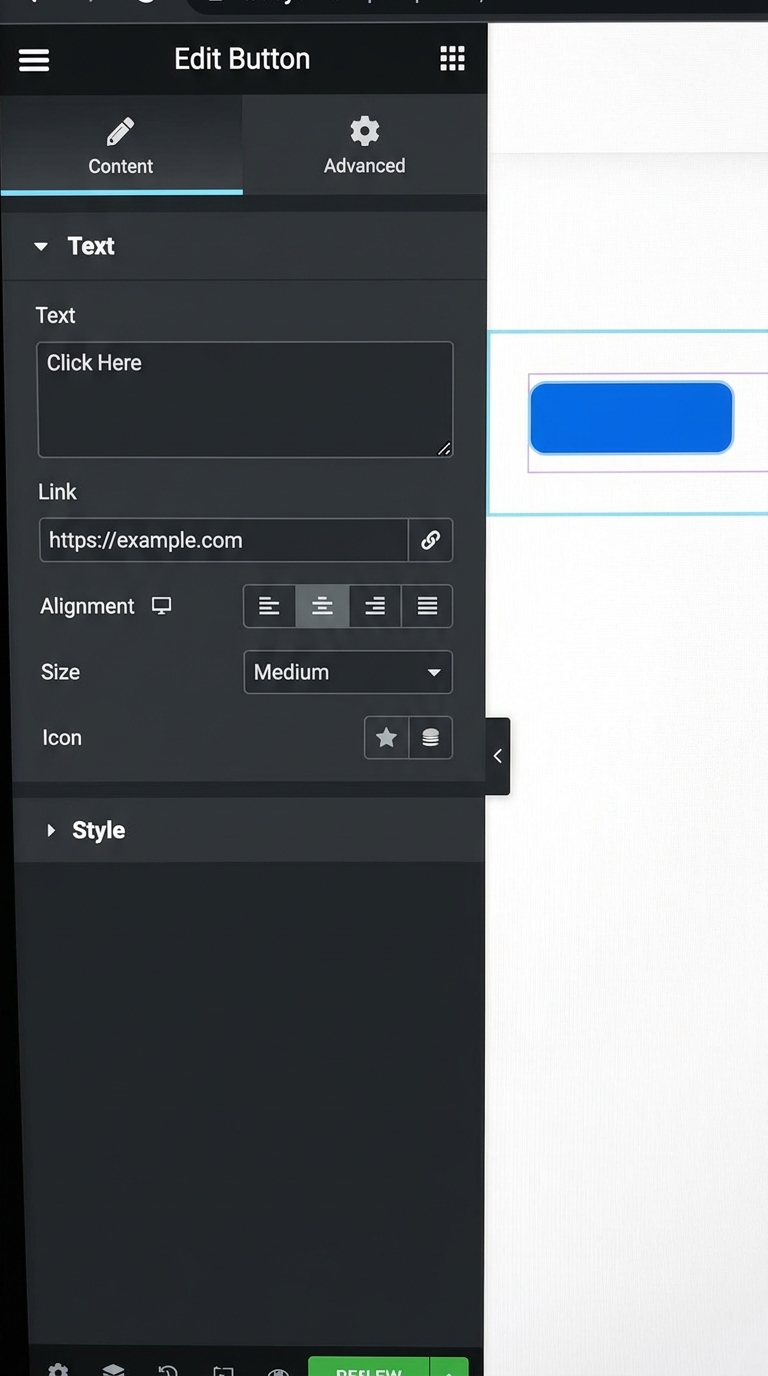
Sabse pehle Elementor me button widget open karein.
Steps:
1. Edit with Elementor par click karein
2. Button widget select karein
3. “Link” field check karein
4. URL properly add ho:
https://yourwebsite.com
https://google.com
Agar URL blank hoga to button clickable nahi hoga.
2. Update Elementor Page
Kai baar changes save nahi hote.
Fix:
Bottom left me Update button par click karein
Fir website ko refresh karein
Simple update se bhi issue solve ho jata hai.
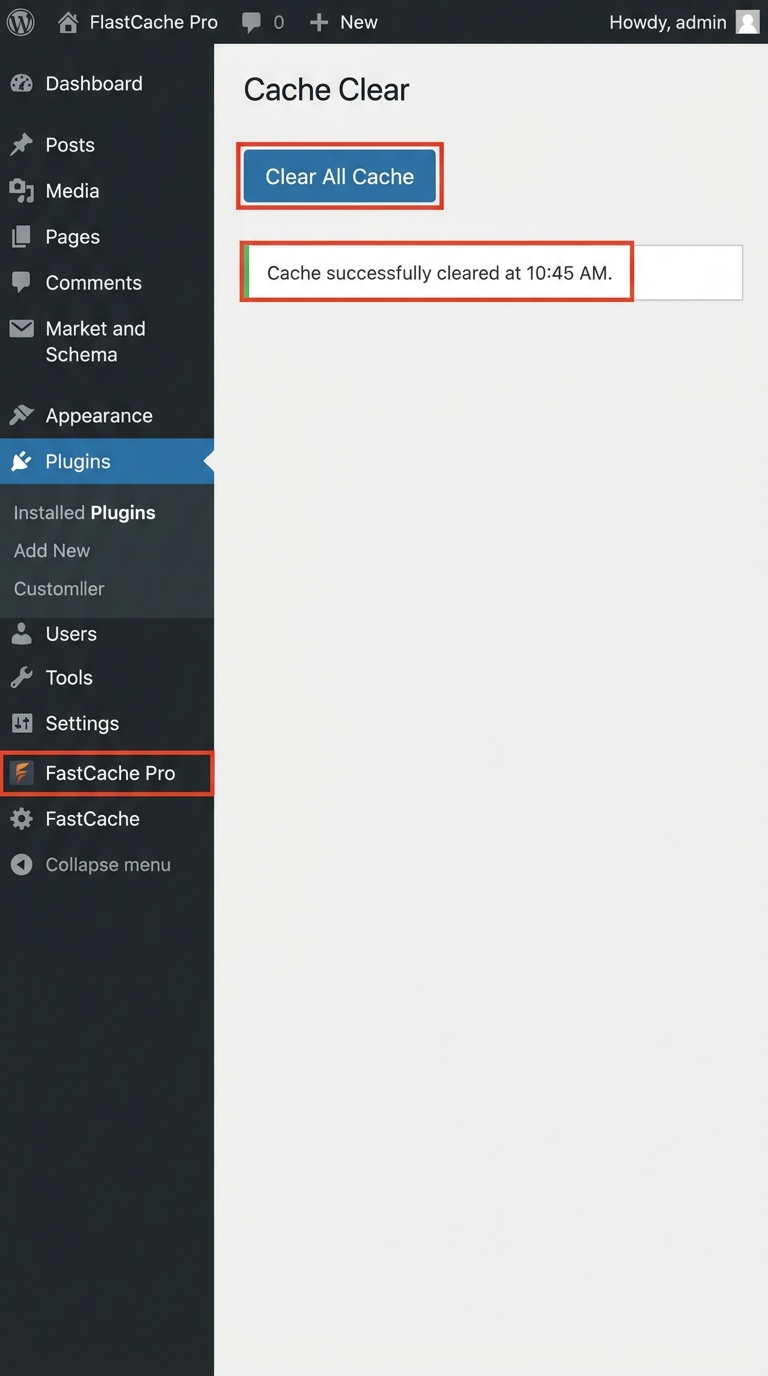
3. Clear Cache
Agar aap cache plugin use kar rahe ho to old version load hota rehta hai.
Cache Clear Karne Ke Plugins:
LiteSpeed Cache
WP Rocket
W3 Total Cache
Cache clear karne ke baad website incognito mode me check karein.
4. Check Z-Index Issue
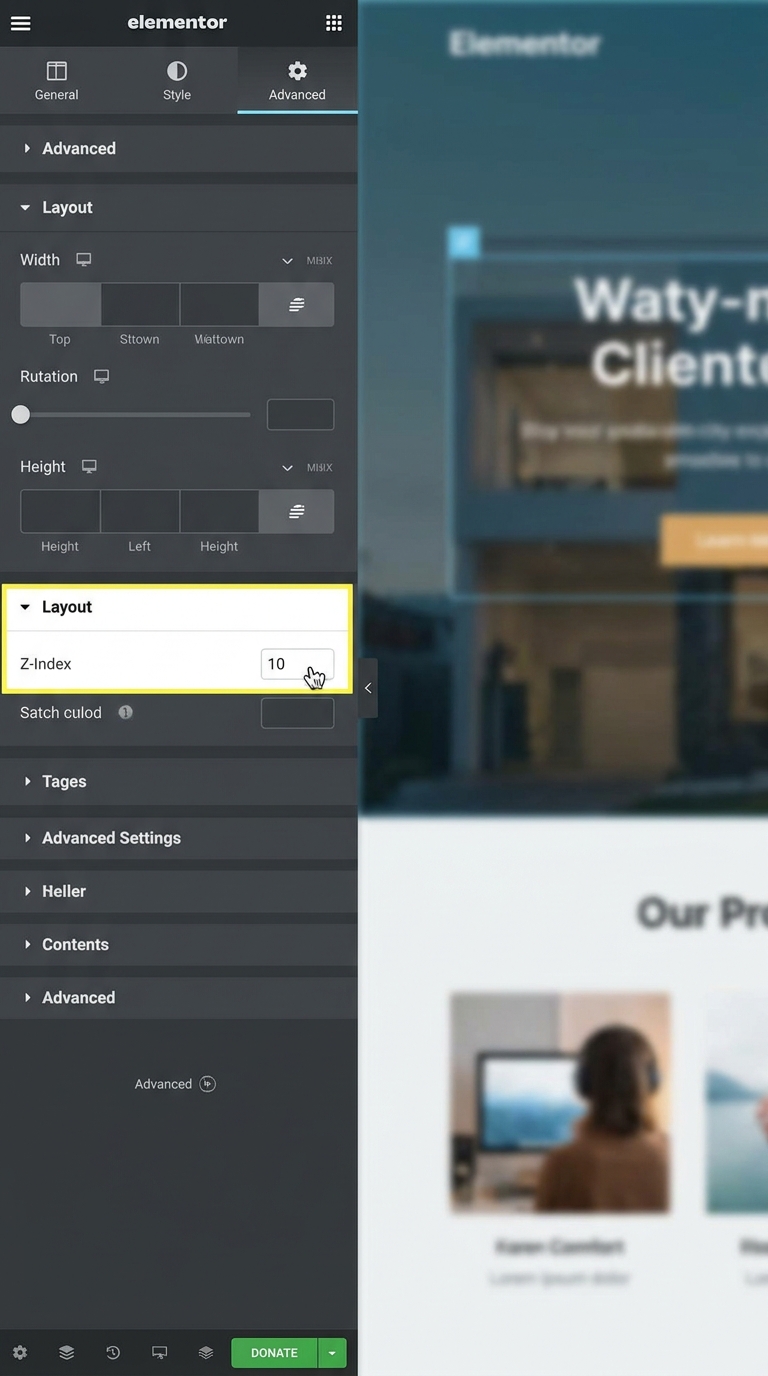
Kabhi kabhi koi section ya image button ke upar aa jati hai.
Fix:
1. Button select karein
2. Advanced → Z-Index
3. Value 10 ya 100 set karein
Isse button top layer par aa jayega.
5. Disable Overlay or Animation
Heavy animation ya overlay bhi button ko block kar sakta hai.
Check:
Background overlay
Motion effects
Sticky section
Popup layer
Temporary disable karke test karein.
Overlay Kya Hai?
Kabhi website me koi invisible layer button ke upar aa jati hai.
User ko button dikh raha hota hai
But actually click overlay par ho raha hota hai.
Isliye:
button press nahi hota
link open nahi hota
lagta hai button broken hai
Z-Index Kya Karta Hai?
Z-index decide karta hai kaunsi cheez upar hogi.
Example:
Overlay = 10
Button = 1
To overlay button ke upar aa jayega → button work nahi karega.
Agar:
Button = 100
Overlay = 1
To button top layer me aa jayega → clickable ho jayega.
6. Mobile View Me Test Karein
Desktop par button work karta hai lekin mobile me nahi karta — ye responsive issue ho sakta hai.
Test Karne Ka Tarika:
Elementor responsive mode open karein
Mobile icon par click karein
Button visibility check karein
7. Plugin Conflict Check Karein
Kabhi kisi plugin ki wajah se button break ho jata hai.
Fix:
1. Extra plugins temporarily deactivate karein
2. Website check karein
3. Ek-ek plugin activate karke culprit identify karein
8. JavaScript Error Check Karein
Advanced users browser console check kar sakte hain.
Shortcut:
Right Click → Inspect
Console tab open karein
Agar red errors dikh rahe hain to JS conflict ho sakta hai.
Best Practice for Working Buttons
Always:
Proper URL use karein
Cache clear rakhein
Mobile testing karein
Lightweight plugins use karein
Elementor updated rakhein
Final Thoughts
“Button not working” issue scary lag sakta hai, lekin mostly cases me ye small setting problem hoti hai. Agar aap systematically upar wale steps follow karoge to issue easily solve ho jayega.
Elementor me working buttons user experience aur conversions dono improve karte hain. Isliye har update ke baad button testing zarur karein.