
Agar aapka button Elementor me left-right shift ho raha hai, upar neeche dikh raha hai, ya mobile me properly aligned nahi lag raha — tension mat lo. Ye issue bohot common hai.
Is guide me hum simple steps se button alignment fix karenge without coding.
Elementor Me Button Alignment Kyu Bigadta Hai?
Mostly ye reasons hote hain:
Wrong container settings
Extra margin ya padding
Mobile responsive issue
Column width problem
Flexbox alignment
Different widget spacing
Good thing ye hai ki Elementor me iska fix already available hota hai.
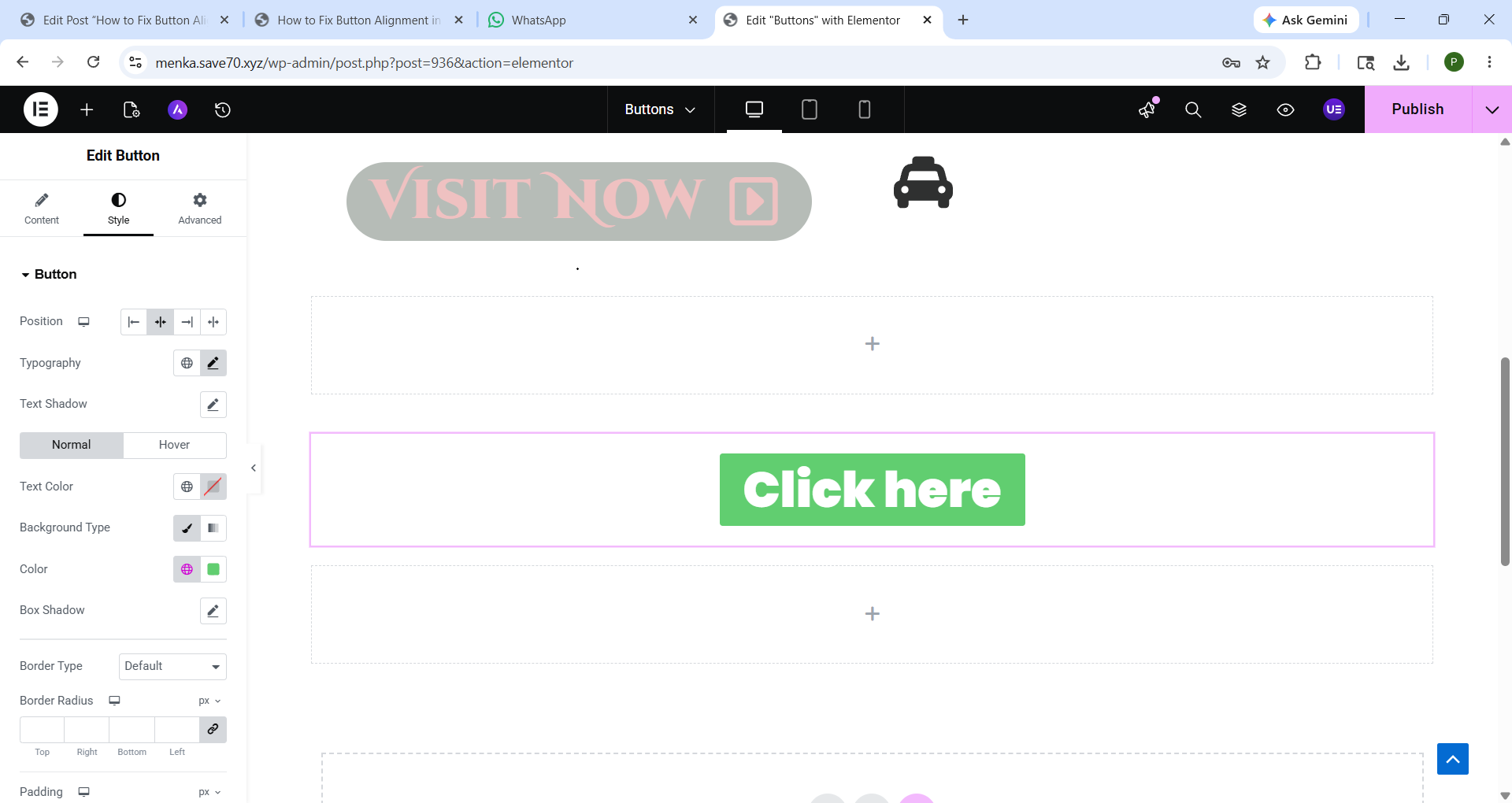
Method 1: Elementor Alignment Setting Use Karo
Sabse easy method.
Steps:
1. Elementor me page open karo
2. Button widget select karo
3. Left side Content tab open karo
4. Alignment option par jao
5. Choose karo:
Left
Center
Right
Justified
Usually websites me Center alignment clean lagta hai.
Method 2: Container Alignment Fix Karo
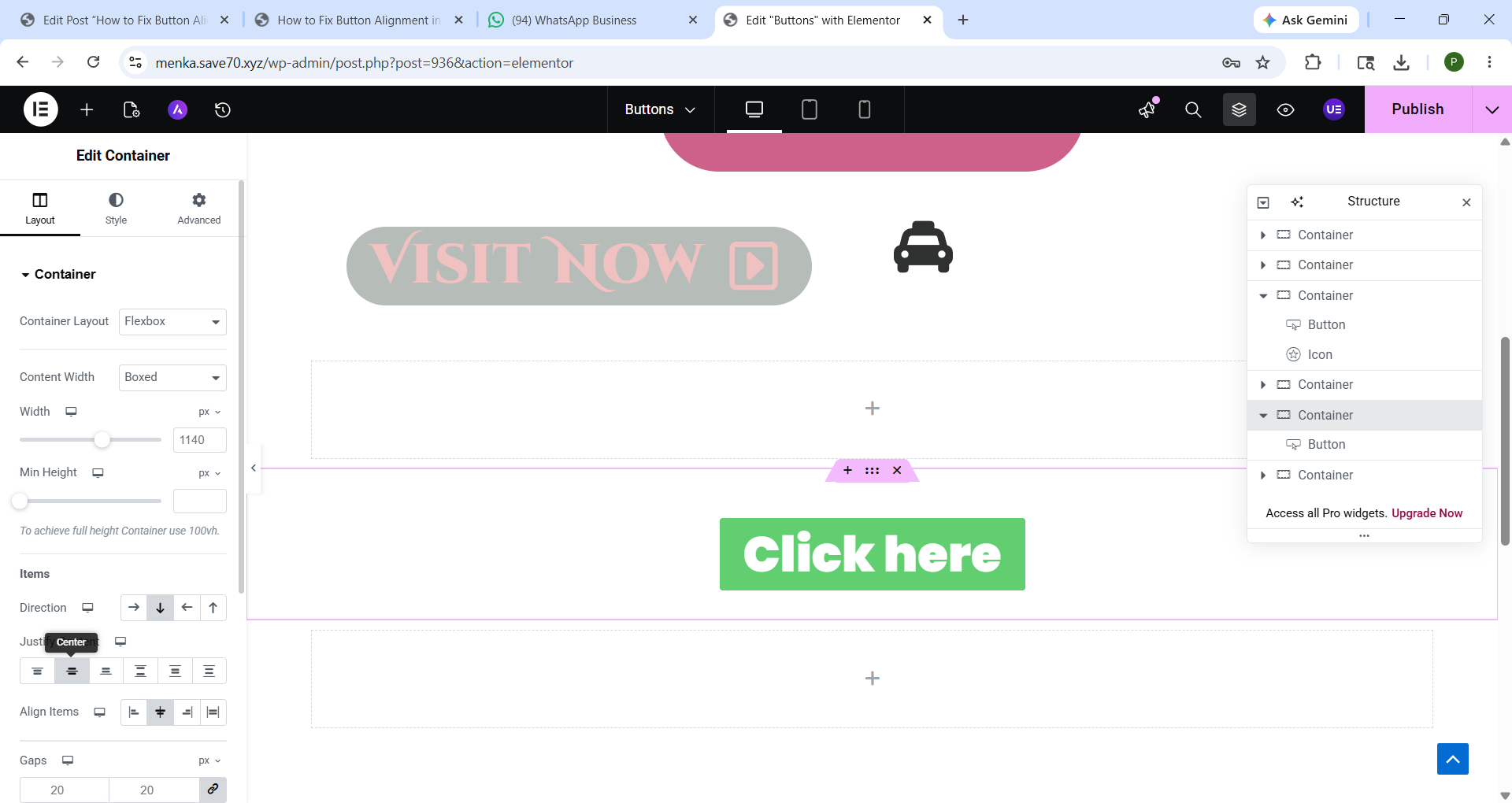
Kabhi button sahi hota hai but uska container wrong aligned hota hai.
Steps:
1. Parent Container select karo
2. Layout tab open karo
3. Check karo:
Justify Content
Align Items
Best Setting:
Justify Content → Center
Align Items → Center
Isse button properly center me ajata hai.
Method 3: Mobile View Me Alignment Check Karo
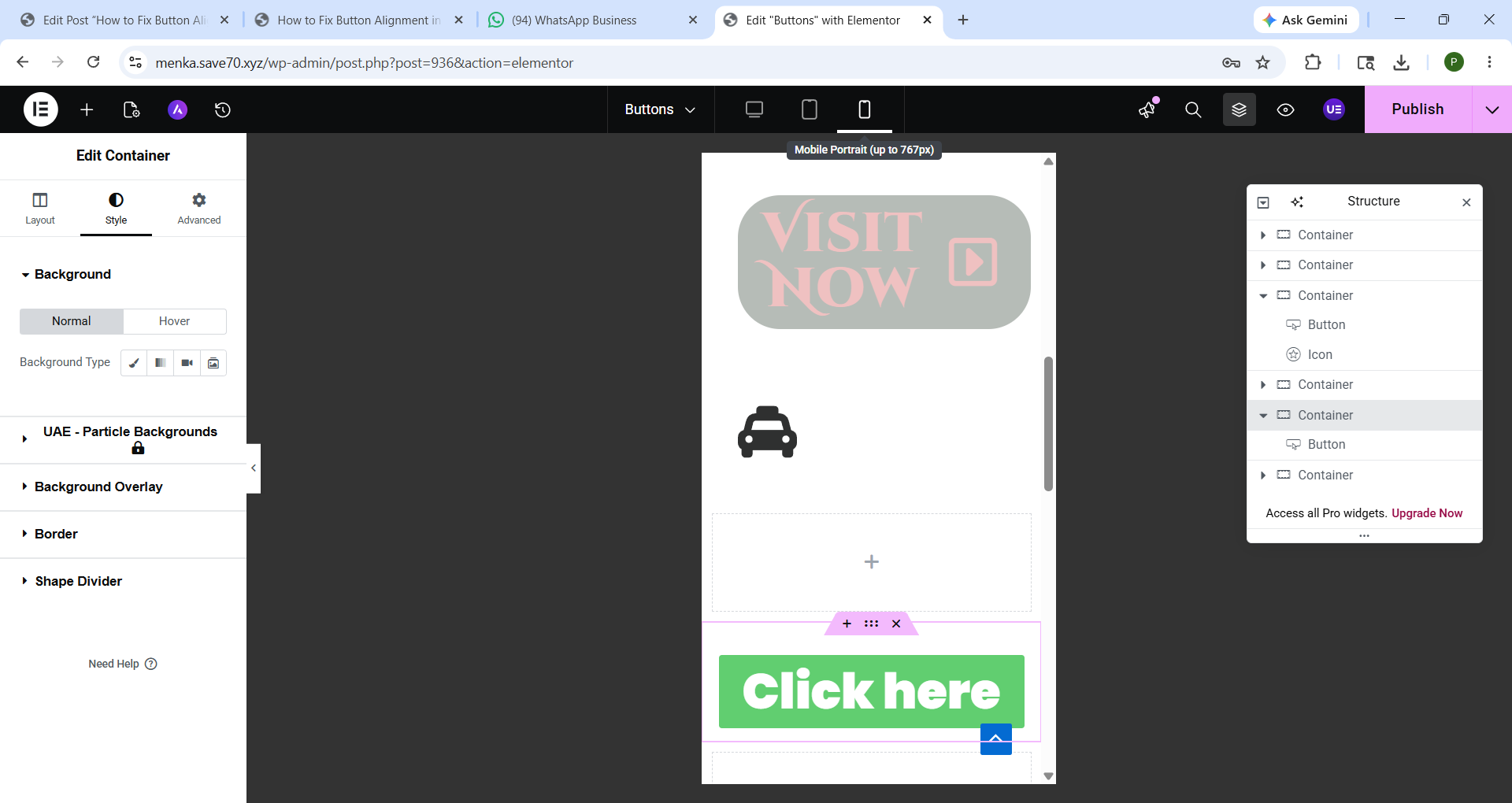
Desktop par perfect button bhi mobile me toot sakta hai.
Steps:
1. Elementor ka Responsive Mode open karo
2. Mobile icon select karo
3. Button ki:
Width
Margin
Padding
Alignment
adjust karo.
Har change ke baad preview zarur check karo.
Method 4: Extra Margin & Padding Remove Karo
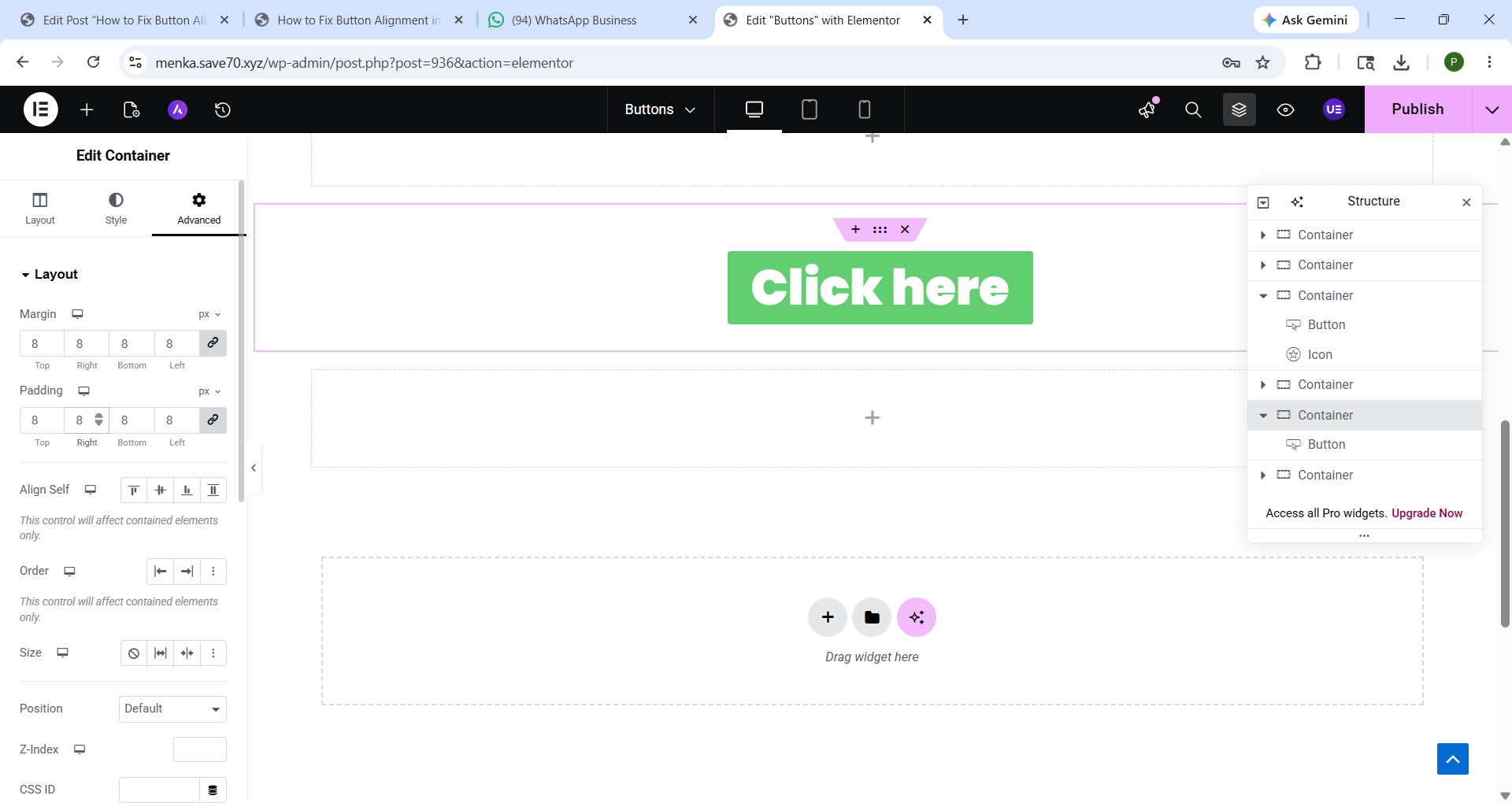
Bohot baar extra spacing ki wajah se button move ho jata hai.
Steps:
1. Button select karo
2. Advanced tab open karo
3. Margin aur Padding check karo
Testing ke liye:
Margin → 0
Padding → Balanced values rakho
Example:
Padding: 15px 30px
Method 5: Simple CSS Se Alignment Fix Karo
Agar normal settings work nahi kar rahi to simple CSS use kar sakte ho.
Center Alignment CSS
selector {
text-align: center;
}
Perfect Center CSS
selector {
display: flex;
justify-content: center;
align-items: center;
}
Add here: Advanced → Custom CSS
Common Button Alignment Problems
Problem Solution
Button left side ja raha Center alignment use karo
Mobile me toot raha Responsive settings adjust karo
Uneven spacing Margin/padding reset karo
Container me shift ho raha Container alignment fix karo
Multiple buttons mismatch Flexbox use karo
Pro Tip
Page publish karne se pehle hamesha:
Desktop View
Tablet View
Mobile View
teeno check karo.
Final Thoughts
Elementor me button alignment fix karna difficult nahi hai. Mostly issue spacing ya container settings ki wajah se hota hai.
Agar aap alignment, padding, margin aur responsive mode properly check karoge to button clean aur professional dikhega.